Happy new year everyone.
I, like many other people, make new years resolution every year. I, like many other people, am quite unsuccessful at keeping up with my new years resolution.
What I found annoying was keeping track of my progress. I take notes of what my goals are, and what I did towards the goals in random note entries here and there, and I would frequently just lose them.
This year, I wanted to be more deliberate about how things are organized. Initially, I set up a page on my obsidian vault for the new years resolution goals. Since I am hosting my own instance) of obsidian livesync through cloudflare tunnel, all of my devices can be in sync and I thought this would free me from the problem of losing the notes. But then at the very last minute, on December 28th, I decided I wanted to do better than that, and I decided to log my progress with a structured format in an SQL database.
My hope is that not only does this allow me to keep track of my progress in a centralized and organized manner, it also keeps track of all the incremental steps of progress along the way, which means I would later be able to generate figures to visualize my progress.
For now, all I have is the basic web interface that interacts with the postgreSQL database backend with simple dialog boxes. I used flask to do all the routing and rendering of web pages, and html/htmx to provide the templates with dynamic behaviors. I personally really dislike touching javascript so I deliberately avoided using it.
Before I go into rambling about the details, if you are interested in trying it yourself, or you want to see my up-to-date coding style because you are a potential employer (wink wink), you can find the source code on my github repo. All you need to have to test it out is docker and a web browser and launching your own instance is just one docker compose up away.
The deets
The database has four tables, one each for units, unit groups, activity types, and activity logs. The database is normalized and contains one fact table (activity logs) and three dimension tables (units, unit groups, activity types).
The unit_groups table is responsible for defining a dimension of measurement (e.g. length, weight, time etc.). Each unit group has a canonical unit, which sets the reference point of measurement for that dimension, and all other units in that same unit group has factors that define themselves with respect to the canonical unit.
The units table defines the actual units of measurement. Each unit belongs to one and only one unit group and references the unit group’s primary key as the foreign key.
The activity_types table defines different activities for which I have set goals (e.g. cycling), along with the quantity. Each activity type has a unit group associated with it.
Finally, the activity_logs table contains the actual individual entries of progress I am recording. For each log, I choose an activity I performed, choose the unit in which I measured the activity, and the quantity of activity in the chosen unit. I wrote my sql query templates in such way that this quantity is then converted to the canonical unit for the chosen activity type.
Some screenshots
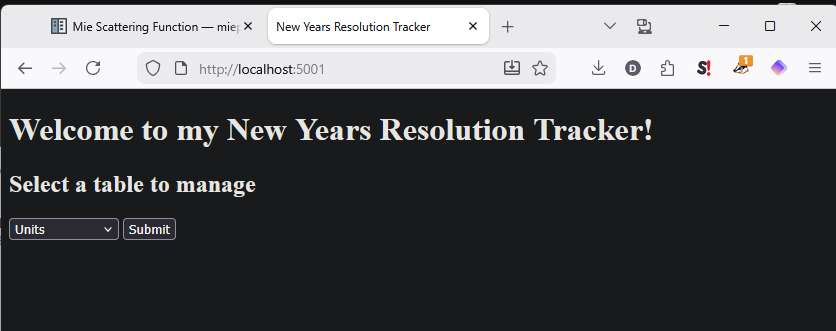 This is the main menu where I can specify which table I want to interact with.
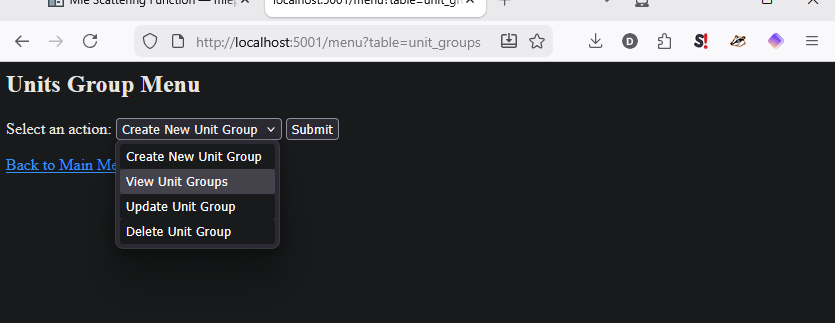 Here are the four options (create, view, update, delete) for one of the four tables. Since the purpose of the interface is have an easy, graphical user interface to do CRUD operations on the database, the four options correspond to each of those operations.
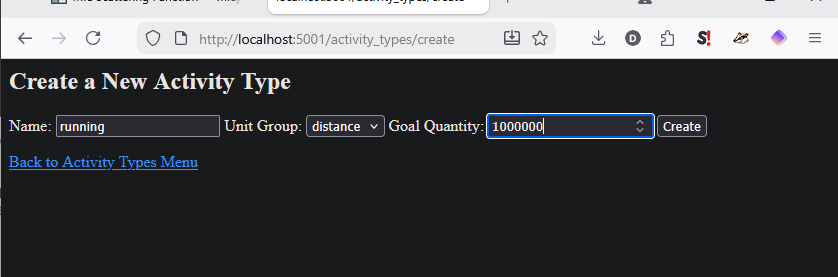 This is what creating a new database entry looks like. There are dialog boxes with type enforcement in htmx, and some drop-down options for things like the foreign key references that must be exact.
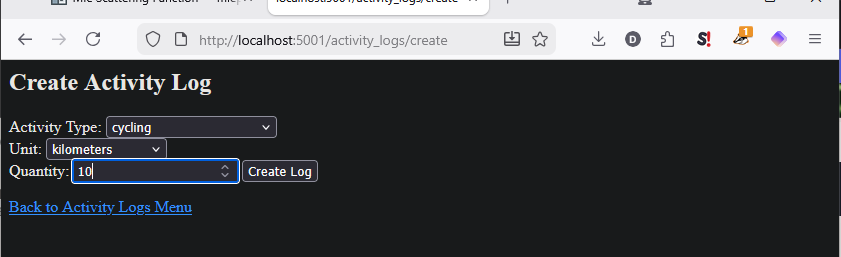 Similarly, this is what creating a new activity log looks like. The unit drop-down menu only shows the units that are compatible with the activity type, because each activity type belongs to a specific unit group based on the dimension of its measure.
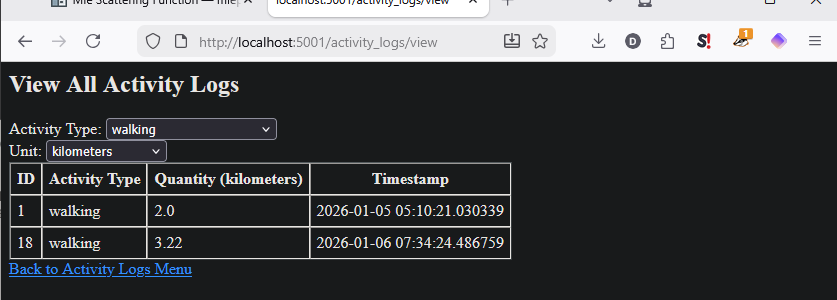 To view the entries in a database table, the view function can be used. In this case, the activity logs view table shows all the activity logs for the selected activity type. The quantity of activity is stored in the canonical unit of the unit group that the activity type is associated with, but I wrote the query to allow the user to choose the display unit and perform a conversion. So if you choose a different unit from the drop-down menu, the table will update with the new unit.
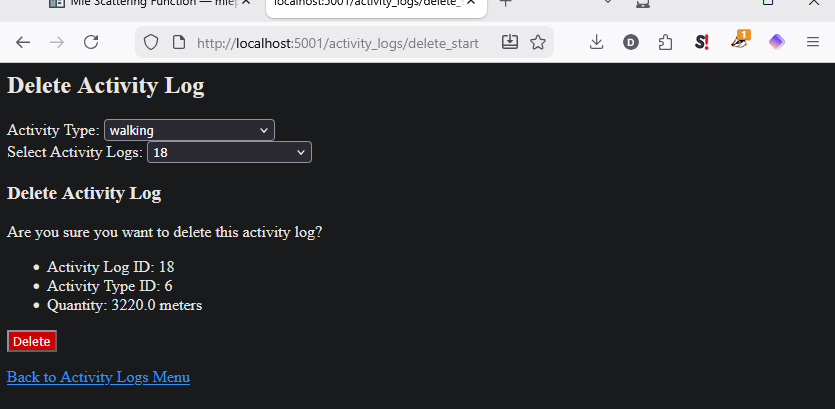 Here’s what a delete operation looks like. The ID for the entry that needs to be removed can be found on the view page.
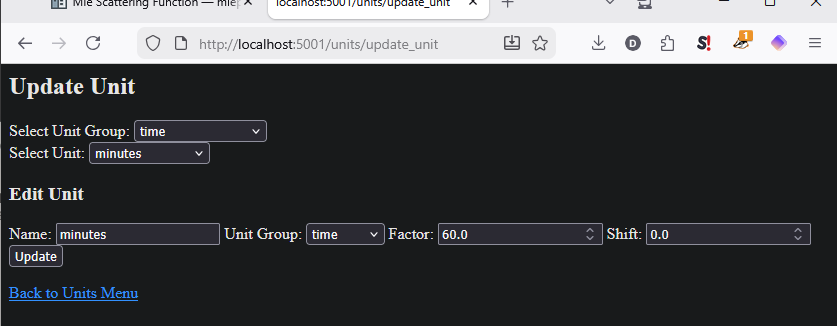 Finally, this is what an update operation looks like. In the case of unit, unit groups and activity types tables, the number of entries are small and so using a drop-down menu to select the entry is easy. For the activity logs table, the entries will grow significantly in number so they are first filtered by the activity type. This is still not quite optimal, but it is manageable for now. In the future, I might roll the update and delete function into the “view” function, so that the user can select the entry from the table and update or delete the entry from there.